
The Apple TV trick most people miss
The Apple TV is probably the most capable streaming box in your house, yet most people only scratch the surface of it. Add an IPTV subscription and you jump from a short row of apps to 50,000+ live channels, UK and international sport, and a 200,000+ title on-demand library — all on the same little box.
IPTV UK starts at £15 a month (about £5 a month over a year) with a free 3-hour trial on WhatsApp — no card, no commitment. This guide shows exactly how to get it running on Apple TV in the UK, which apps are worth installing, and what to expect.

What you get on Apple TV
Before the setup, here's what a good IPTV subscription brings to an Apple TV:
| Feature | IPTV UK | Satellite TV | Cable TV | Streaming pass |
|---|---|---|---|---|
| Monthly cost | From ~£5 | £65–£90 | £55–£80 | £34.99 |
| Live channels | 50,000+ | ~300 | ~250 | Partial |
| All sport channels | ✅ | Extra cost | Extra cost | One broadcaster |
| On-demand library | 200,000+ titles | Limited | Limited | No |
| 4K quality | ✅ | Extra cost | Extra cost | ✅ |
| Contract | None | 18 months | 18 months | None |
The best IPTV apps for Apple TV in the UK
Apple TV runs tvOS, so the app list differs from Android or Firestick. These are the ones worth your time in 2026:
1. IPTV Smarters Pro (our pick)
On the Apple TV App Store, it handles both M3U playlist URLs and the Xtream Codes API — the two formats nearly every provider uses. Tidy interface, decent guide support and steady playback on 4K Apple TV hardware.
Best for: most people — easy setup, dependable.
2. GSE Smart IPTV
One of the longest-serving players on iOS and tvOS. Takes M3U playlists and Xtream Codes, with a solid built-in media player. Free to download with a small in-app purchase for the full feature set.
Best for: anyone wanting an established, feature-heavy player.
3. Flex IPTV
Built with Apple TV in mind. Supports M3U and Xtream Codes behind a TV-friendly interface, and it's among the most polished options on tvOS.
Best for: people who want the cleanest Apple TV layout.
4. Infuse (via M3U)
Mainly a video player, but it accepts M3U playlists. If you already use Infuse for your own media, you can slot your IPTV stream in beside it. Less about live TV, excellent for on-demand.
Best for: existing Infuse users who want on-demand content too.
Setting up IPTV on Apple TV, step by step
Step 1 — Get your trial login
Message IPTV UK on WhatsApp and ask for a free 3-hour trial. You'll get either:
- An M3U URL (a link ending
.m3uor.m3u8), or - Xtream Codes details: server URL, username and password
Either works with the apps above.
Step 2 — Install your app
On the Apple TV:
- Open the App Store
- Search for IPTV Smarters Pro (or your preferred app)
- Install it
Step 3 — Add your subscription
In IPTV Smarters Pro:
- Open the app
- Choose Add User
- Pick your login type:
- Xtream Codes API — enter server URL, username, password
- M3U URL — paste the link
- Select Add User — channels load in 30–60 seconds
In GSE Smart IPTV:
- Open the app
- Go to Remote Playlists
- Tap +
- Name it and paste your M3U URL or Xtream Codes details
- Tap Add
Step 4 — Add the guide (EPG)
Your IPTV UK subscription includes an EPG URL. Add it in the player's settings for:
- Now-and-next across all channels
- A 7-day guide
- Channel logos and descriptions
Step 5 — Tidy up your channels
Most apps let you:
- Filter by category (UK, Sport, News, Entertainment, Films, Kids)
- Save favourites for the channels you watch most
- Sort alphabetically or by category
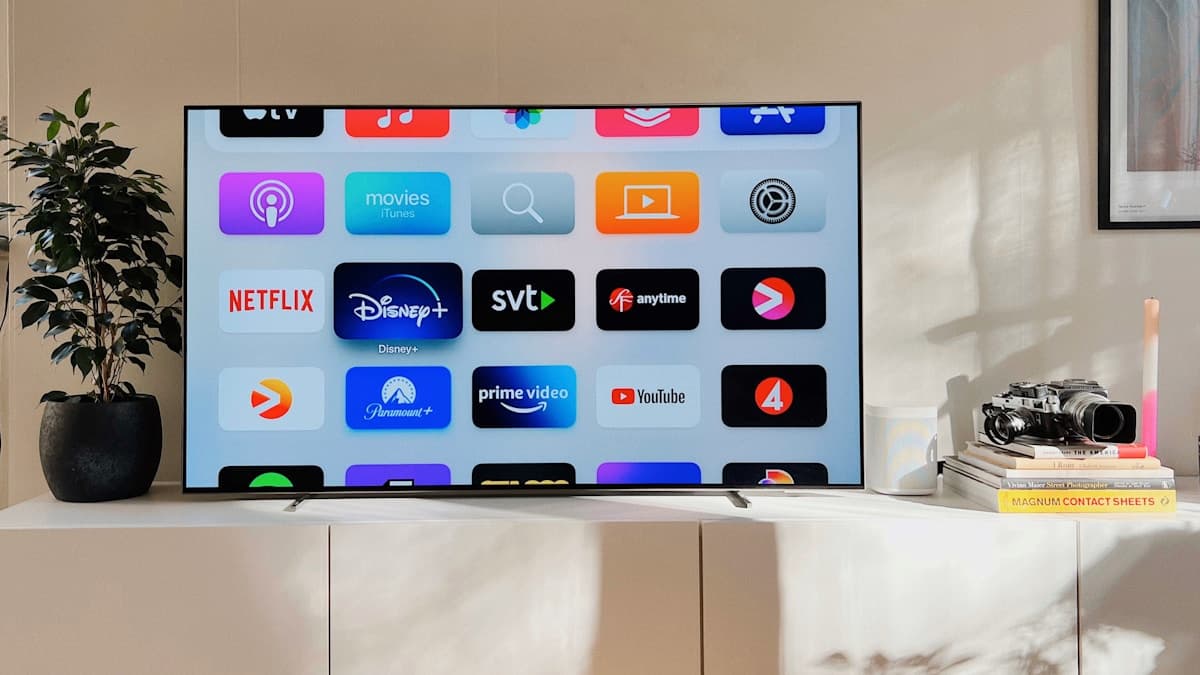
UK channels on Apple TV via IPTV UK
UK free-to-air
All the main UK entertainment, drama, comedy and film channels, plus regional variants.
Sport
UK and international sport channels across football, cricket, golf, motorsport, boxing, rugby and tennis.
Entertainment and films
Premium drama, comedy, crime, documentary, nature, film and music channels.
News
UK, US and international 24-hour news and business channels.
Troubleshooting on Apple TV
Slow to load or buffering
Check your speed first — 10 Mbps minimum for HD, 25 Mbps for 4K. Apple TV is at its steadiest on a wired ethernet connection via the adapter; Wi-Fi is fine for most streams but ethernet rules out network wobble.
App missing from the UK App Store
Some IPTV apps don't appear in the UK store. Creating a free Apple ID set to another region (such as the US) opens up the full tvOS store — a common workaround that doesn't affect anything else on your Apple TV.
Channels won't load after setup
Refresh the playlist in the app's settings. If your login was issued moments ago, give it a few minutes and retry. Still stuck? Message IPTV UK on WhatsApp — replies usually come within the hour.
Handy resources:
- IPTV Smarters Pro — official app page
- TiviMate — best player for Android TV / Firestick
- VLC Media Player — free desktop player
Frequently asked questions: IPTV on Apple TV UK
Which Apple TV models work? All current ones — Apple TV 4K (3rd gen, 2022), Apple TV 4K (2nd gen, 2021) and Apple TV HD. The old Apple TV 3 (pre-2015) isn't supported, as it doesn't run tvOS apps.
Can I use it on Apple TV and my phone at once? A standard subscription covers one connection at a time. For more than one screen simultaneously, ask about multi-connection plans when you get in touch.
Do the apps work on iPhone and iPad too? Yes. IPTV Smarters Pro and GSE Smart IPTV are on iPhone and iPad as well, and one subscription covers all your devices.
How much is IPTV UK? From £15 a month, or about £5 a month over a year — 50,000+ live channels and 200,000+ on-demand titles in HD and 4K, with a free 3-hour trial first.
Will it work without jailbreaking? Yes, entirely. Every app here comes from the official App Store — no jailbreaking, no sideloading, no workarounds.
Ready to try it yourself?
Get a free 3-hour trial — no credit card required. Our team sets it up for you.
Related guides
IPTV on iPhone UK (2026): The Complete Setup Guide
Want UK IPTV on your iPhone? Here's exactly how to set it up, which App Store players actually work on iOS, and how to stream 50,000+ channels from about £5/month.
Read MoreHow to Set Up IPTV on a Smart TV (2026 Guide)
A full walkthrough for getting IPTV going on Samsung, LG, Sony and Android Smart TVs — which app to use, how to add your playlist, and what to do if your set has no decent app.
Read MoreIPTV Subscription UK 2026: Plans, Prices & How to Set One Up
Shopping for an IPTV subscription in the UK? Here's what's actually included, how the plans and prices stack up against satellite and streaming passes, the five things to check first, and how to get set up in under ten minutes.
Read MoreBest IPTV Apps for Firestick in 2026 (Compared)
The Firestick is the UK's favourite IPTV device — but the app you pick decides how good it feels. Here's TiviMate vs IPTV Smarters Pro vs GSE and Kodi, and which suits you.
Read More